{
  "component": "CometChatCallLogs",
  "package": "@cometchat/chat-uikit-react-native",
  "import": "import { CometChatCallLogs } from \"@cometchat/chat-uikit-react-native\";",
  "description": "Scrollable list of call history showing missed, received, and outgoing calls.",
  "props": {
    "data": {
      "callLogRequestBuilder": {
        "type": "CallLogRequestBuilder",
        "note": "Pass the builder, not the result of .build()"
      },
      "datePattern": {
        "type": "DatePattern",
        "note": "Custom date format for call timestamps"
      }
    },
    "callbacks": {
      "onItemPress": "(call: any) => void",
      "onItemLongPress": "(prop: { call: any }) => void",
      "onCallIconPress": "(item: any) => void",
      "onBack": "() => void",
      "onError": "(error: CometChat.CometChatException) => void",
      "onLoad": "(list: any[]) => void",
      "onEmpty": "() => void"
    },
    "visibility": {
      "showBackButton": { "type": "boolean", "default": true },
      "hideError": { "type": "boolean", "default": false },
      "hideHeader": { "type": "boolean", "default": false },
      "hideLoadingState": { "type": "boolean", "default": false }
    },
    "viewSlots": {
      "ItemView": "(call: any) => JSX.Element",
      "LeadingView": "(call: any) => JSX.Element",
      "TitleView": "(call: any) => JSX.Element",
      "SubtitleView": "(call: any) => JSX.Element",
      "TrailingView": "(call: any, defaultOnPress?: (call: any) => void) => JSX.Element",
      "LoadingView": "() => JSX.Element",
      "EmptyView": "() => JSX.Element",
      "ErrorView": "(e: CometChat.CometChatException) => JSX.Element",
      "AppBarOptions": "() => JSX.Element"
    }
  },
  "compositionExample": {
    "description": "Call history list with call-back functionality",
    "components": [
      "CometChatCallLogs",
      "CometChatOutgoingCall"
    ],
    "flow": "onItemPress initiates call to participant, onCallIconPress triggers call-back"
  }
}

Where It Fits

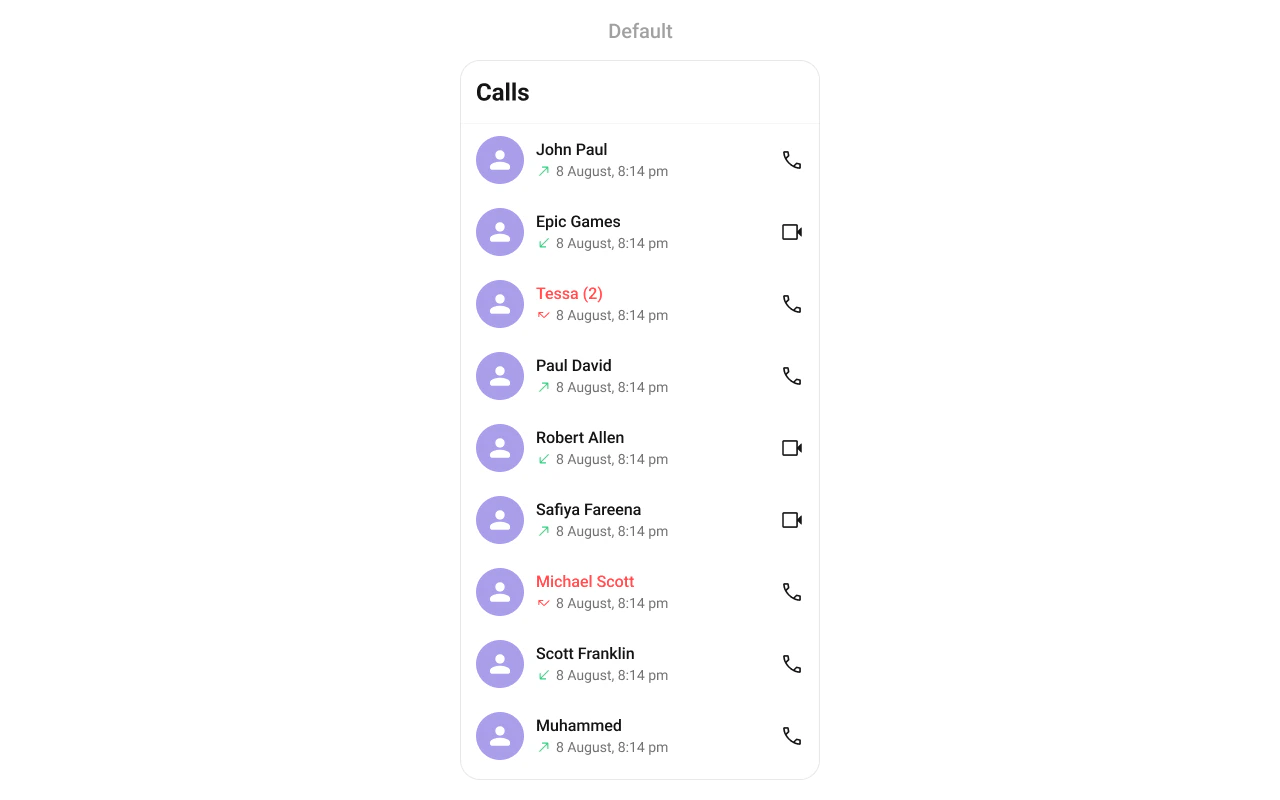
CometChatCallLogs is a Component that shows the list of Call Logs available. By default, names are shown for all listed users, along with their avatars if available.
Minimal Render

import { CometChatCallLogs } from "@cometchat/chat-uikit-react-native";

function CallLogsDemo() {
  return <CometChatCallLogs />;
}

Filtering Call Logs

Pass a CallLogRequestBuilder to callLogRequestBuilder. Pass the builder instance — not the result of .build().
import { CometChatCallLogs } from "@cometchat/chat-uikit-react-native";
import { CallLogRequestBuilder } from "@cometchat/chat-sdk-react-native";

function FilteredCallLogs() {
  const callLogRequestBuilder = new CallLogRequestBuilder()
    .setLimit(20)
    .setCallStatus("cancelled")
    .setAuthToken(loggedInUser.getAuthToken());

  return (
    <CometChatCallLogs
      callLogRequestBuilder={callLogRequestBuilder}
    />
  );
}

Filter Recipes

RecipeCode
Limit to 20 per pagenew CallLogRequestBuilder().setLimit(20)
Only cancelled callsnew CallLogRequestBuilder().setCallStatus("cancelled")
Only incoming callsnew CallLogRequestBuilder().setCallDirection("incoming")
Only outgoing callsnew CallLogRequestBuilder().setCallDirection("outgoing")
Calls with recordingsnew CallLogRequestBuilder().setHasRecording(true)
Filter by user UIDnew CallLogRequestBuilder().setUid("user_uid")

Actions and Events

Callback Props

onItemPress

Fires when a call log row is tapped. By default initiates a call to the participant.
onItemPress?: (call: any) => void
import { CometChatCallLogs } from "@cometchat/chat-uikit-react-native";

function CallLogsWithPress() {
  const handleItemPress = (call: any) => {
    console.log("Selected call:", call);
  };

  return <CometChatCallLogs onItemPress={handleItemPress} />;
}

onItemLongPress

Fires when a call log item is long-pressed, allowing additional actions like delete or select.
onItemLongPress?: (prop: { call: any }) => void
import { CometChatCallLogs } from "@cometchat/chat-uikit-react-native";

function CallLogsWithLongPress() {
  const handleLongPress = (prop: { call: any }) => {
    console.log("Long pressed:", prop.call);
  };

  return <CometChatCallLogs onItemLongPress={handleLongPress} />;
}

onCallIconPress

Fires when the call icon is pressed.
onCallIconPress?: (item: any) => void
import { CometChatCallLogs } from "@cometchat/chat-uikit-react-native";

function CallLogsWithCallIcon() {
  const handleCallIconPress = (call: any) => {
    console.log("Call icon pressed:", call);
  };

  return <CometChatCallLogs onCallIconPress={handleCallIconPress} />;
}

onBack

Fires when the back button in the app bar is pressed.
onBack?: () => void
import { CometChatCallLogs } from "@cometchat/chat-uikit-react-native";

function CallLogsWithBack() {
  return (
    <CometChatCallLogs
      showBackButton={true}
      onBack={() => {
        console.log("Back pressed");
      }}
    />
  );
}

onError

Fires on internal errors (network failure, auth issue, SDK exception).
onError?: (e: CometChat.CometChatException) => void
import { CometChatCallLogs } from "@cometchat/chat-uikit-react-native";
import { CometChat } from "@cometchat/chat-sdk-react-native";

function CallLogsWithError() {
  return (
    <CometChatCallLogs
      onError={(error: CometChat.CometChatException) => {
        console.error("CallLogs error:", error);
      }}
    />
  );
}

onLoad

Fires when the list is successfully fetched and loaded.
onLoad?: (list: any[]) => void
import { CometChatCallLogs } from "@cometchat/chat-uikit-react-native";

function CallLogsWithLoad() {
  const handleLoad = (list: any[]) => {
    console.log("Call logs loaded:", list.length);
  };

  return <CometChatCallLogs onLoad={handleLoad} />;
}

onEmpty

Fires when the call log list is empty.
onEmpty?: () => void
import { CometChatCallLogs } from "@cometchat/chat-uikit-react-native";

function CallLogsWithEmpty() {
  return (
    <CometChatCallLogs
      onEmpty={() => {
        console.log("No call logs available");
      }}
    />
  );
}

Custom View Slots

Each slot replaces a section of the default UI. Slots that accept a call parameter receive the call log object for that row.
SlotSignatureReplaces
ItemView(call: any) => JSX.ElementEntire list item row
LeadingView(call: any) => JSX.ElementAvatar / left section
TitleView(call: any) => JSX.ElementCaller name / title text
SubtitleView(call: any) => JSX.ElementCall type / details
TrailingView(call: any, defaultOnPress?) => JSX.ElementDuration / right section
LoadingView() => JSX.ElementLoading spinner
EmptyView() => JSX.ElementEmpty state
ErrorView(e: CometChat.CometChatException) => JSX.ElementError state
AppBarOptions() => JSX.ElementHeader bar options

LoadingView

Custom view displayed when data is being fetched.
LoadingView?: () => JSX.Element
import { CometChatCallLogs } from "@cometchat/chat-uikit-react-native";
import { Text } from "react-native";

function LoadingViewDemo() {
  const getLoadingView = (): JSX.Element => {
    return <Text>Loading call logs...</Text>;
  };

  return <CometChatCallLogs LoadingView={getLoadingView} />;
}

EmptyView

Custom view displayed when there are no call logs.
EmptyView?: () => JSX.Element
import { CometChatCallLogs } from "@cometchat/chat-uikit-react-native";
import { Text } from "react-native";

function EmptyViewDemo() {
  const getEmptyView = (): JSX.Element => {
    return <Text>No calls yet. Make your first call!</Text>;
  };

  return <CometChatCallLogs EmptyView={getEmptyView} />;
}

ErrorView

Custom view displayed when an error occurs.
ErrorView?: (e: CometChat.CometChatException) => JSX.Element
import { CometChatCallLogs } from "@cometchat/chat-uikit-react-native";
import { CometChat } from "@cometchat/chat-sdk-react-native";
import { Text } from "react-native";

function ErrorViewDemo() {
  const getErrorView = (e: CometChat.CometChatException): JSX.Element => {
    return <Text>Error loading calls. Please try again.</Text>;
  };

  return <CometChatCallLogs ErrorView={getErrorView} />;
}

ItemView

Custom view for the entire list item row.
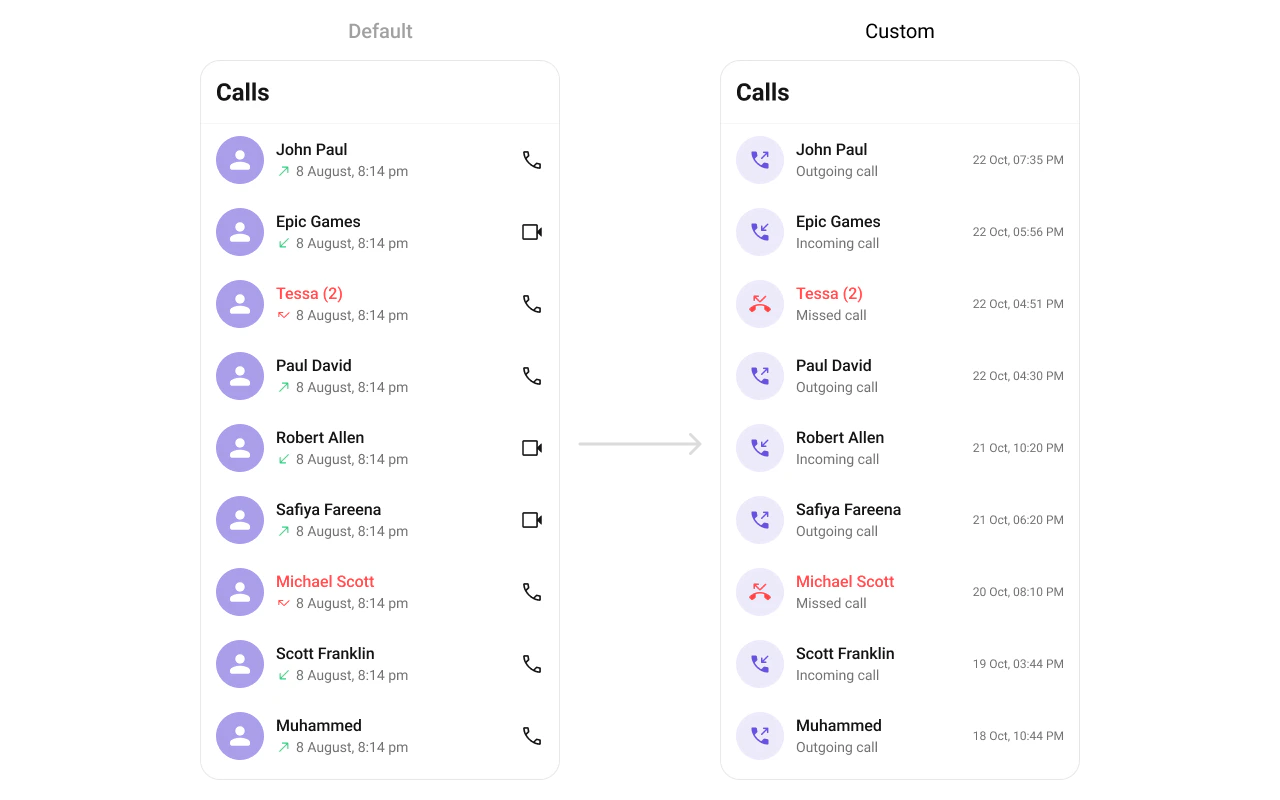
ItemView?: (call: any) => JSX.Element
import { CometChatCallLogs } from "@cometchat/chat-uikit-react-native";
import { View, Text } from "react-native";

function ItemViewDemo() {
  const getItemView = (call: any): JSX.Element => {
    return (
      <View style={{ padding: 16, flexDirection: 'row' }}>
        <Text style={{ flex: 1 }}>{call.getInitiator().getName()}</Text>
        <Text>{call.getStatus()}</Text>
      </View>
    );
  };

  return <CometChatCallLogs ItemView={getItemView} />;
}

SubtitleView

Custom view for the call type / details.
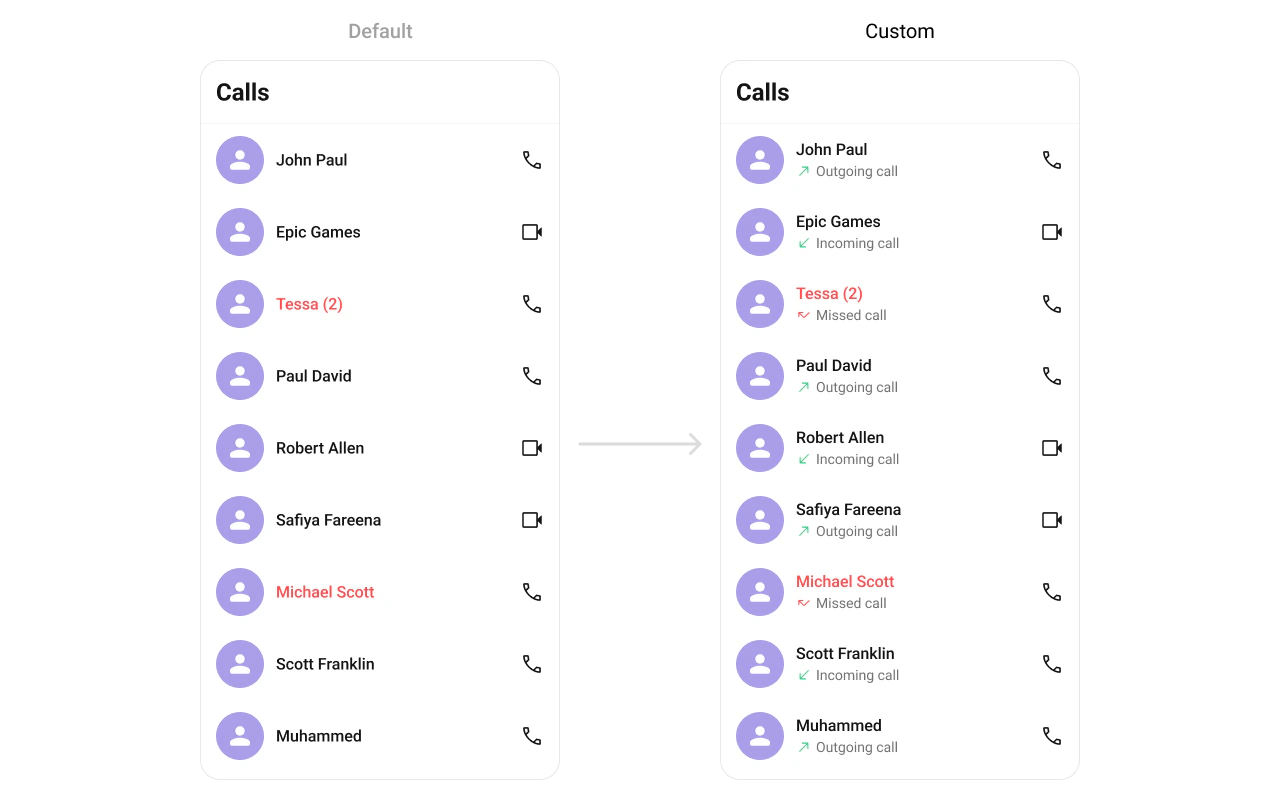
SubtitleView?: (call: any) => JSX.Element
import { CometChatCallLogs } from "@cometchat/chat-uikit-react-native";
import { Text } from "react-native";

function SubtitleViewDemo() {
  const getSubtitleView = (call: any): JSX.Element => {
    return (
      <Text style={{ color: '#727272', fontSize: 12 }}>
        {call.getStatus()}{call.getDuration()}s
      </Text>
    );
  };

  return <CometChatCallLogs SubtitleView={getSubtitleView} />;
}

TrailingView

Custom view for the duration / right section.
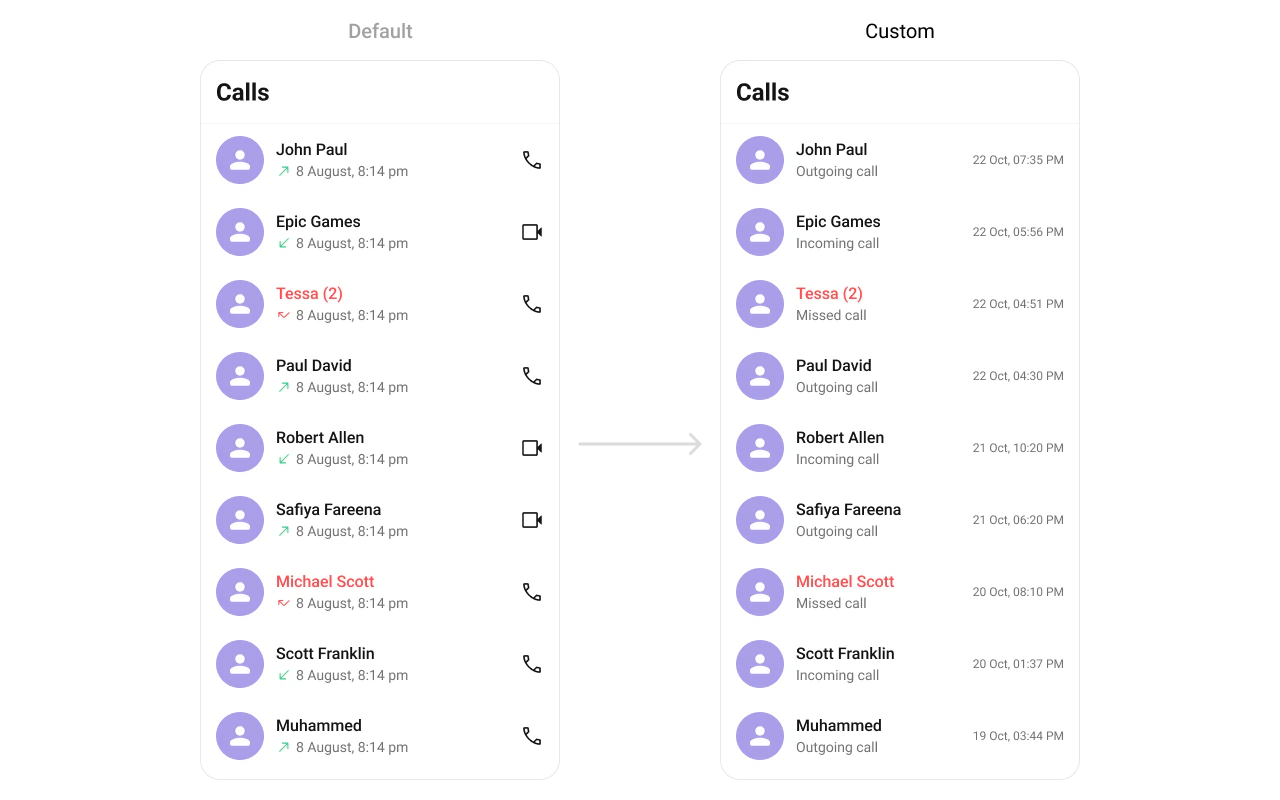
TrailingView?: (call: any, defaultOnPress?: (call: any) => void) => JSX.Element
import { CometChatCallLogs } from "@cometchat/chat-uikit-react-native";
import { TouchableOpacity, Text } from "react-native";

function TrailingViewDemo() {
  const getTrailingView = (call: any, defaultOnPress?: (call: any) => void): JSX.Element => {
    return (
      <TouchableOpacity onPress={() => defaultOnPress?.(call)}>
        <Text>📞 Call Back</Text>
      </TouchableOpacity>
    );
  };

  return <CometChatCallLogs TrailingView={getTrailingView} />;
}

AppBarOptions

Custom view for the header bar options.
import { CometChatCallLogs } from "@cometchat/chat-uikit-react-native";
import { TouchableOpacity, Image } from "react-native";

function AppBarOptionsDemo() {
  return (
    <CometChatCallLogs
      AppBarOptions={() => {
        return (
          <TouchableOpacity onPress={() => console.log("Filter pressed")}>
            <Image source={FilterIcon} style={{ width: 24, height: 24 }} />
          </TouchableOpacity>
        );
      }}
    />
  );
}

Styling

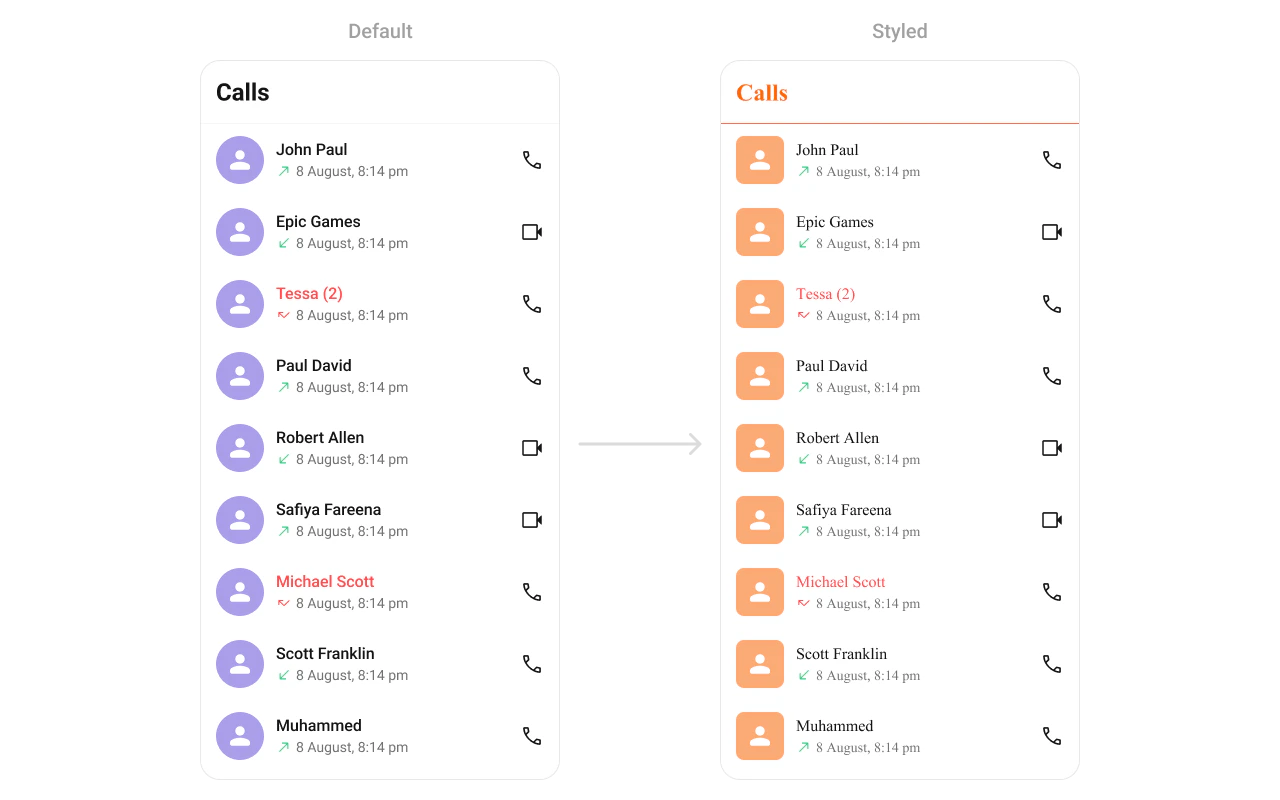
Using Style you can customize the look and feel of the component in your app. Pass a styling object as a prop to the CometChatCallLogs component.
import { CometChatCallLogs } from "@cometchat/chat-uikit-react-native";

function StylingDemo() {
  return (
    <CometChatCallLogs
      hideBackButton={true}
      style={{
        titleSeparatorStyle: {
          borderBottomColor: "#F76808",
        },
        titleTextStyle: {
          color: "#F76808",
        },
        itemStyle: {
          avatarStyle: {
            containerStyle: {
              borderRadius: 8,
              backgroundColor: "#FBAA75",
            },
            imageStyle: {
              borderRadius: 8,
            },
          },
        },
      }}
    />
  );
}

Visibility Props

PropertyDescriptionCode
showBackButtonToggle visibility of the back button in the app barshowBackButton?: boolean
hideErrorHide error state on fetching call logshideError?: boolean
hideHeaderToggle visibility for the toolbar/header barhideHeader?: boolean
hideLoadingStateToggle visibility of loading statehideLoadingState?: boolean

Outgoing Call Configuration

You can customize the properties of the OutGoing Call by making use of the outgoingCallConfiguration prop:
import { CometChatCallLogs } from "@cometchat/chat-uikit-react-native";
import { Text } from "react-native";

function OutgoingCallConfigDemo() {
  return (
    <CometChatCallLogs
      outgoingCallConfiguration={{
        SubtitleView: () => {
          return <Text style={{ color: '#FFC0CB' }}>Outgoing Call</Text>;
        },
        style: {
          containerStyle: {
            backgroundColor: '#FFE4EBF5',
          },
        },
      }}
    />
  );
}

Next Steps

Incoming Call

Display and handle incoming calls

Outgoing Call

Display and manage outgoing calls

Call Buttons

Add voice and video call buttons to your UI

Call Features

Overview of all calling features