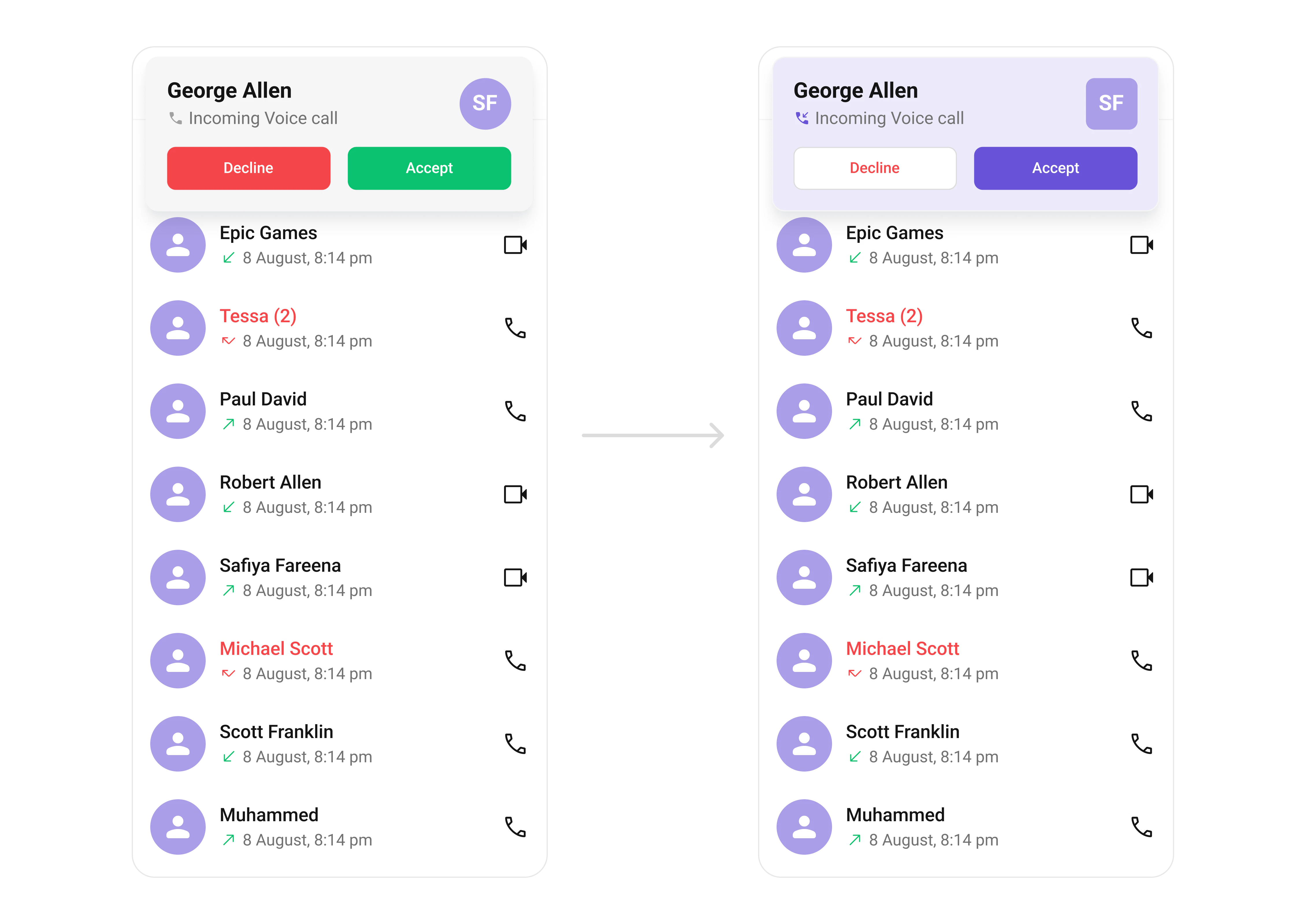
{
  "component": "CometChatIncomingCall",
  "package": "@cometchat/chat-uikit-react-native",
  "import": "import { CometChatIncomingCall } from \"@cometchat/chat-uikit-react-native\";",
  "description": "Visual representation for incoming voice and video calls with accept/decline options.",
  "props": {
    "data": {
      "call": {
        "type": "CometChat.Call | CometChat.CustomMessage",
        "note": "The incoming call object"
      }
    },
    "callbacks": {
      "onAccept": "(call: CometChat.BaseMessage) => void",
      "onDecline": "(call: CometChat.BaseMessage) => void",
      "onError": "(error: CometChat.CometChatException) => void"
    },
    "sound": {
      "disableSoundForCalls": { "type": "boolean", "default": false },
      "customSoundForCalls": { "type": "string", "default": "built-in" }
    },
    "viewSlots": {
      "ItemView": "(call) => JSX.Element",
      "LeadingView": "(call) => JSX.Element",
      "TitleView": "(call) => JSX.Element",
      "SubtitleView": "(call) => JSX.Element",
      "TrailingView": "(call) => JSX.Element"
    }
  },
  "events": [
    { "name": "ccCallRejected", "payload": "{ call }", "description": "Call rejected by receiver" },
    { "name": "ccCallAccepted", "payload": "{ call }", "description": "Call accepted by receiver" },
    { "name": "ccCallEnded", "payload": "{ call }", "description": "Call successfully ended" },
    { "name": "ccCallFailled", "payload": "{ call }", "description": "Error during call" }
  ]
}

Where It Fits

CometChatIncomingCall is a Component that serves as a visual representation when the user receives an incoming call, such as a voice call or video call, providing options to answer or decline the call.
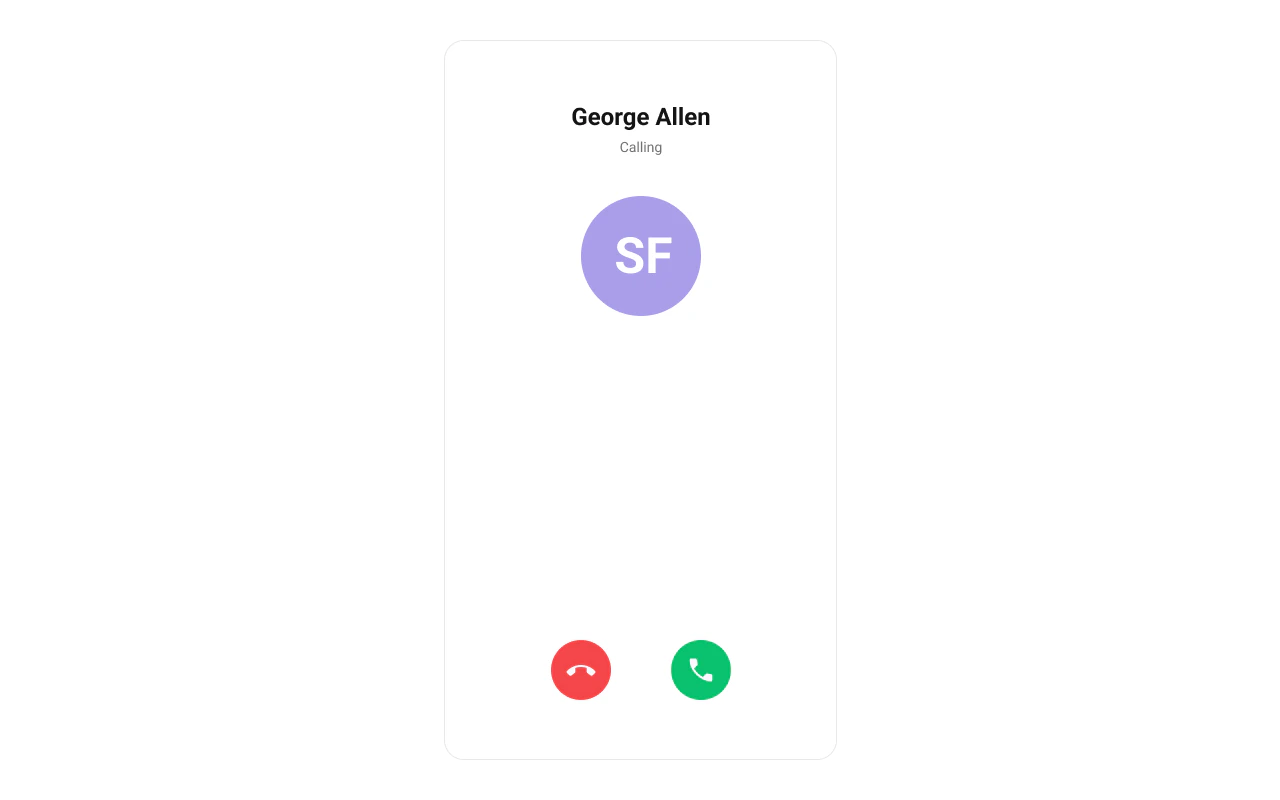
Minimal Render

import { CometChat } from "@cometchat/chat-sdk-react-native";
import { CometChatIncomingCall } from "@cometchat/chat-uikit-react-native";
import { useState, useRef, useEffect } from "react";

function IncomingCallDemo() {
  const incomingCall = useRef<CometChat.Call | null>(null);
  const [callReceived, setCallReceived] = useState(false);
  const listenerId = "INCOMING_CALL_LISTENER";

  useEffect(() => {
    CometChat.addCallListener(
      listenerId,
      new CometChat.CallListener({
        onIncomingCallReceived: (call) => {
          incomingCall.current = call;
          setCallReceived(true);
        },
        onIncomingCallCancelled: (call) => {
          incomingCall.current = null;
          setCallReceived(false);
        },
      })
    );

    return () => {
      CometChat.removeCallListener(listenerId);
    };
  }, []);

  return (
    <>
      {callReceived && incomingCall.current && (
        <CometChatIncomingCall
          call={incomingCall.current}
          onDecline={() => setCallReceived(false)}
        />
      )}
    </>
  );
}

Actions and Events

Callback Props

onAccept

Fires when the accept button is pressed.
onAccept?: (call: CometChat.BaseMessage) => void
import { CometChatIncomingCall } from "@cometchat/chat-uikit-react-native";
import { CometChat } from "@cometchat/chat-sdk-react-native";

function IncomingCallWithAccept() {
  const handleAccept = (call: CometChat.BaseMessage) => {
    console.log("Call accepted:", call);
  };

  return (
    <CometChatIncomingCall
      call={incomingCall}
      onAccept={handleAccept}
      onDecline={() => setCallReceived(false)}
    />
  );
}

onDecline

Fires when the decline button is pressed.
onDecline?: (call: CometChat.BaseMessage) => void
import { CometChatIncomingCall } from "@cometchat/chat-uikit-react-native";

function IncomingCallWithDecline() {
  const handleDecline = (call) => {
    console.log("Call declined");
    setCallReceived(false);
  };

  return (
    <CometChatIncomingCall
      call={incomingCall}
      onDecline={handleDecline}
    />
  );
}

onError

Fires on internal errors (network failure, auth issue, SDK exception).
onError?: (error: CometChat.CometChatException) => void
import { CometChatIncomingCall } from "@cometchat/chat-uikit-react-native";
import { CometChat } from "@cometchat/chat-sdk-react-native";

function IncomingCallWithError() {
  return (
    <CometChatIncomingCall
      call={incomingCall}
      onDecline={() => setCallReceived(false)}
      onError={(error: CometChat.CometChatException) => {
        console.error("IncomingCall error:", error);
      }}
    />
  );
}

Global UI Events

CometChatUIEventHandler emits events subscribable from anywhere in the application. Add listeners and remove them on cleanup.
EventFires whenPayload
ccCallRejectedInitiated call is rejected by the receiver{ call }
ccCallAcceptedInitiated call is accepted by the receiver{ call }
ccCallEndedInitiated call successfully ends{ call }
ccCallFailledError occurs during the initiated call{ call }
When to use: sync external UI with call state changes. For example, update a call status indicator, show notifications, or log call events.
import { useEffect } from "react";
import { CometChatUIEventHandler } from "@cometchat/chat-uikit-react-native";

function useIncomingCallEvents() {
  useEffect(() => {
    const listenerId = "INCOMING_CALL_EVENTS_" + Date.now();

    CometChatUIEventHandler.addCallListener(listenerId, {
      ccCallRejected: ({ call }) => {
        console.log("Call rejected:", call);
      },
      ccCallAccepted: ({ call }) => {
        console.log("Call accepted:", call);
      },
      ccCallEnded: ({ call }) => {
        console.log("Call ended:", call);
      },
      ccCallFailled: ({ call }) => {
        console.log("Call failed:", call);
      },
    });

    return () => {
      CometChatUIEventHandler.removeCallListener(listenerId);
    };
  }, []);
}

Custom View Slots

Each slot replaces a section of the default UI. Slots that accept a call parameter receive the call object for customization.
SlotSignatureReplaces
ItemView(call) => JSX.ElementEntire incoming call card
LeadingView(call) => JSX.ElementAvatar / left section
TitleView(call) => JSX.ElementCaller name / title text
SubtitleView(call) => JSX.ElementCall type / status text
TrailingView(call) => JSX.ElementAccept/decline buttons

ItemView

Custom view for the entire incoming call card.
ItemView?: (call: CometChat.Call | CometChat.CustomMessage) => JSX.Element
import { CometChatIncomingCall } from "@cometchat/chat-uikit-react-native";
import { CometChat } from "@cometchat/chat-sdk-react-native";
import { View, Text } from "react-native";

function ItemViewDemo() {
  const getItemView = (call: CometChat.Call | CometChat.CustomMessage) => {
    return (
      <View style={{ padding: 20, backgroundColor: '#6852D6' }}>
        <Text style={{ color: 'white' }}>Incoming Call</Text>
      </View>
    );
  };

  return (
    <CometChatIncomingCall
      call={incomingCall}
      onDecline={() => setCallReceived(false)}
      ItemView={getItemView}
    />
  );
}

LeadingView

Custom view for the avatar / left section.
LeadingView?: (call: CometChat.Call | CometChat.CustomMessage) => JSX.Element
import { CometChatIncomingCall } from "@cometchat/chat-uikit-react-native";
import { CometChat } from "@cometchat/chat-sdk-react-native";
import { View, Text } from "react-native";

function LeadingViewDemo() {
  const getLeadingView = (call: CometChat.Call | CometChat.CustomMessage) => {
    const caller = call.getCallInitiator();
    return (
      <View style={{ width: 60, height: 60, borderRadius: 30, backgroundColor: '#6852D6' }}>
        <Text style={{ color: 'white', textAlign: 'center', lineHeight: 60 }}>
          {caller.getName().charAt(0)}
        </Text>
      </View>
    );
  };

  return (
    <CometChatIncomingCall
      call={incomingCall}
      onDecline={() => setCallReceived(false)}
      LeadingView={getLeadingView}
    />
  );
}

SubtitleView

Custom view for the call type / status text.
SubtitleView?: (call: CometChat.Call | CometChat.CustomMessage) => JSX.Element
import { CometChatIncomingCall } from "@cometchat/chat-uikit-react-native";
import { CometChat } from "@cometchat/chat-sdk-react-native";
import { Text } from "react-native";

function SubtitleViewDemo() {
  const getSubtitleView = (call: CometChat.Call | CometChat.CustomMessage) => {
    const callType = call.getType() === "audio" ? "Voice Call" : "Video Call";
    return <Text style={{ color: '#727272' }}>{callType}</Text>;
  };

  return (
    <CometChatIncomingCall
      call={incomingCall}
      onDecline={() => setCallReceived(false)}
      SubtitleView={getSubtitleView}
    />
  );
}

Styling

Using Style you can customize the look and feel of the component in your app. Pass a styling object as a prop to the CometChatIncomingCall component.
import { CometChatIncomingCall, useTheme } from "@cometchat/chat-uikit-react-native";

function StylingDemo() {
  const theme = useTheme();

  return (
    <CometChatIncomingCall
      call={incomingCall}
      onDecline={() => setCallReceived(false)}
      style={{
        containerStyle: {
          backgroundColor: theme.color.extendedPrimary100,
        },
        avatarStyle: {
          containerStyle: {
            backgroundColor: theme.color.extendedPrimary500,
            borderRadius: 8,
          },
          imageStyle: {
            borderRadius: 8,
          },
        },
        declineCallButtonStyle: {
          backgroundColor: theme.color.staticWhite,
        },
        declineCallTextStyle: {
          color: theme.color.error,
        },
        acceptCallButtonStyle: {
          backgroundColor: theme.color.primary,
        },
      }}
    />
  );
}

Visibility Props

PropertyDescriptionCode
disableSoundForCallsDisable/enable the sound of incoming callsdisableSoundForCalls?: boolean
customSoundForCallsSet custom sound for incoming callscustomSoundForCalls?: string

Next Steps

Outgoing Call

Display and manage outgoing calls

Call Buttons

Add voice and video call buttons to your UI

Call Features

Overview of all calling features

Component Styling

Customize the appearance of UI Kit components