

AI Integration Quick Reference
AI Integration Quick Reference
Where It Fits
CometChatGroupMembers is a panel component that renders the member list for a specific group. It requires a group prop and provides built-in member management actions (kick, ban, scope change) based on the logged-in user’s role. Typically rendered alongside the message view in a group chat layout.
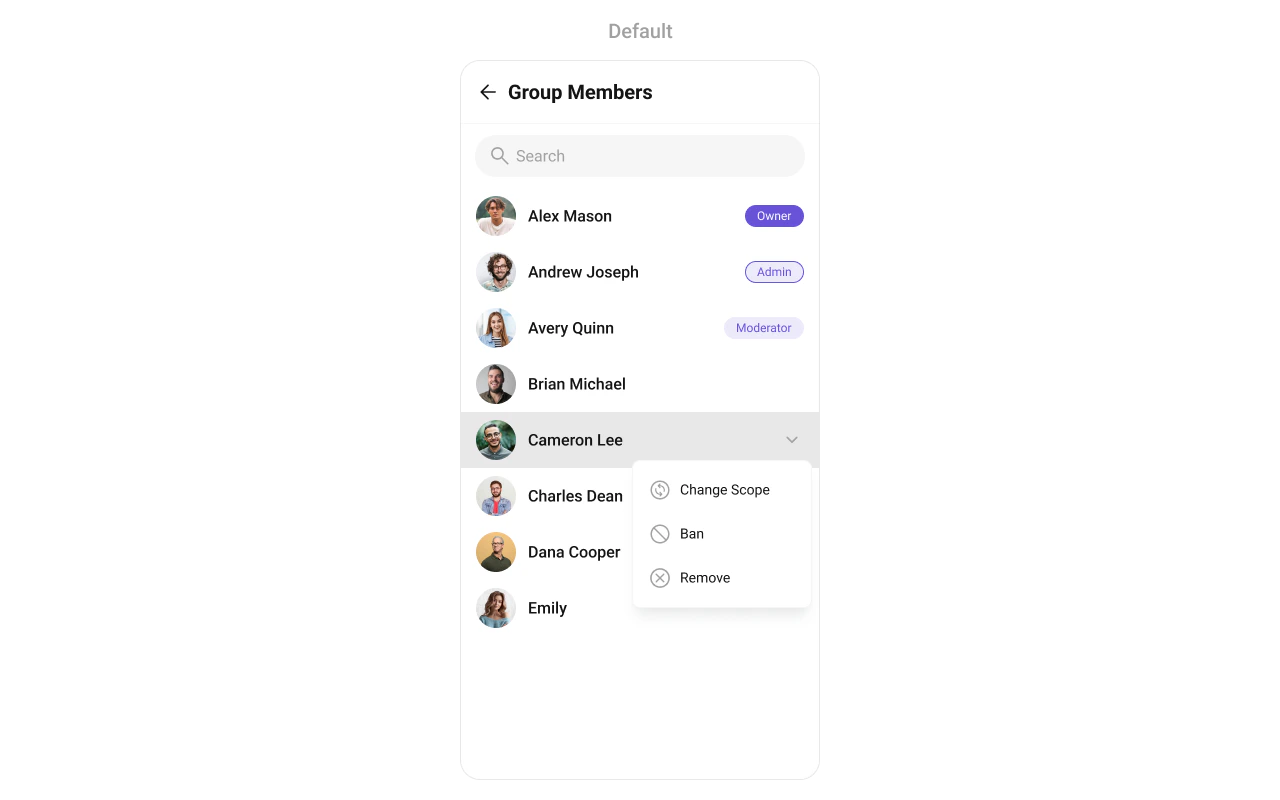
Minimal Render
Filtering Group Members
Pass aCometChat.GroupMembersRequestBuilder to groupMemberRequestBuilder. Pass the builder instance — not the result of .build().
The GroupMembersRequestBuilder enables you to filter and customize the group members list based on available parameters. The following are the parameters available in GroupMembersRequestBuilder:
| Methods | Type | Description |
|---|---|---|
| setLimit | number | sets the number of group members that can be fetched in a single request, suitable for pagination |
| setSearchKeyword | string | used for fetching group members matching the passed string |
| setScopes | Array<string> | used for fetching group members based on multiple scopes |
Filter Recipes
| Recipe | Code |
|---|---|
| Limit to 10 per page | new CometChat.GroupMembersRequestBuilder("GUID").setLimit(10) |
| Search by keyword | new CometChat.GroupMembersRequestBuilder("GUID").setSearchKeyword("john") |
| Admins and moderators only | new CometChat.GroupMembersRequestBuilder("GUID").setScopes(["admin", "moderator"]) |
SearchRequestBuilder
ThesearchRequestBuilder prop accepts a separate GroupMembersRequestBuilder for filtering when the search bar is active. This allows you to keep uniformity between the displayed Group Members List and searched Group Members List.
Actions and Events
Callback Props
onItemPress
Fires when a member row is tapped.onItemLongPress
Fires when a member item is long-pressed, allowing additional actions like delete or block.onBack
Fires when the back button in the app bar is pressed. RequiresshowBackButton={true}.
onSelection
Fires when members are selected/deselected in selection mode. RequiresselectionMode to be set.
onSubmit
Fires when the submit selection button is pressed. RequiresselectionMode to be set.
onError
Fires on internal errors (network failure, auth issue, SDK exception).onLoad
Fires when the list is successfully fetched and loaded.onEmpty
Fires when the member list is empty.Global UI Events
CometChatUIEventHandler emits events subscribable from anywhere in the application. Add listeners and remove them on cleanup.
| Event | Fires when | Payload |
|---|---|---|
ccGroupMemberKicked | A member is kicked from the group | IGroupMemberKickedBanned |
ccGroupMemberBanned | A member is banned from the group | IGroupMemberKickedBanned |
ccGroupMemberScopeChanged | A member’s scope is changed | IGroupMemberScopeChanged |
SDK Events (Real-Time, Automatic)
The component listens to these SDK events internally. No manual attachment needed unless additional side effects are required.| SDK Listener | Internal behavior |
|---|---|
onGroupMemberScopeChanged | Updates the member’s scope in the list |
onGroupMemberKicked | Removes the kicked member from the list |
onGroupMemberBanned | Removes the banned member from the list |
onMemberAddedToGroup | Appends the new member to the list |
onGroupMemberLeft | Removes the member who left from the list |
onGroupMemberJoined | Appends the joined member to the list |
In React 18 StrictMode,
useEffect runs twice on mount in development. The component handles listener cleanup internally, but any additional listeners added alongside the component need cleanup in the useEffect return function to avoid duplicate event handling.Custom View Slots
Each slot replaces a section of the default UI. Slots that accept a member parameter receive theCometChat.GroupMember object for that row.
| Slot | Signature | Replaces |
|---|---|---|
ItemView | (groupMember: CometChat.GroupMember) => JSX.Element | Entire list item row |
LeadingView | (groupMember: CometChat.GroupMember) => JSX.Element | Avatar / left section |
TitleView | (groupMember: CometChat.GroupMember) => JSX.Element | Name / title text |
SubtitleView | (groupMember: CometChat.GroupMember) => JSX.Element | Subtitle text |
TrailingView | (groupMember: CometChat.GroupMember) => JSX.Element | Right section (scope badge / actions) |
LoadingView | () => JSX.Element | Loading spinner |
EmptyView | () => JSX.Element | Empty state |
ErrorView | () => JSX.Element | Error state |
AppBarOptions | () => JSX.Element | Header bar options |
LoadingView
Custom view displayed when data is being fetched.EmptyView
Custom view displayed when there are no group members.ErrorView
Custom view displayed when an error occurs.LeadingView
Custom view for the avatar / left section of each member item.TitleView
Custom view for the name / title text.SubtitleView
Custom view for the subtitle text.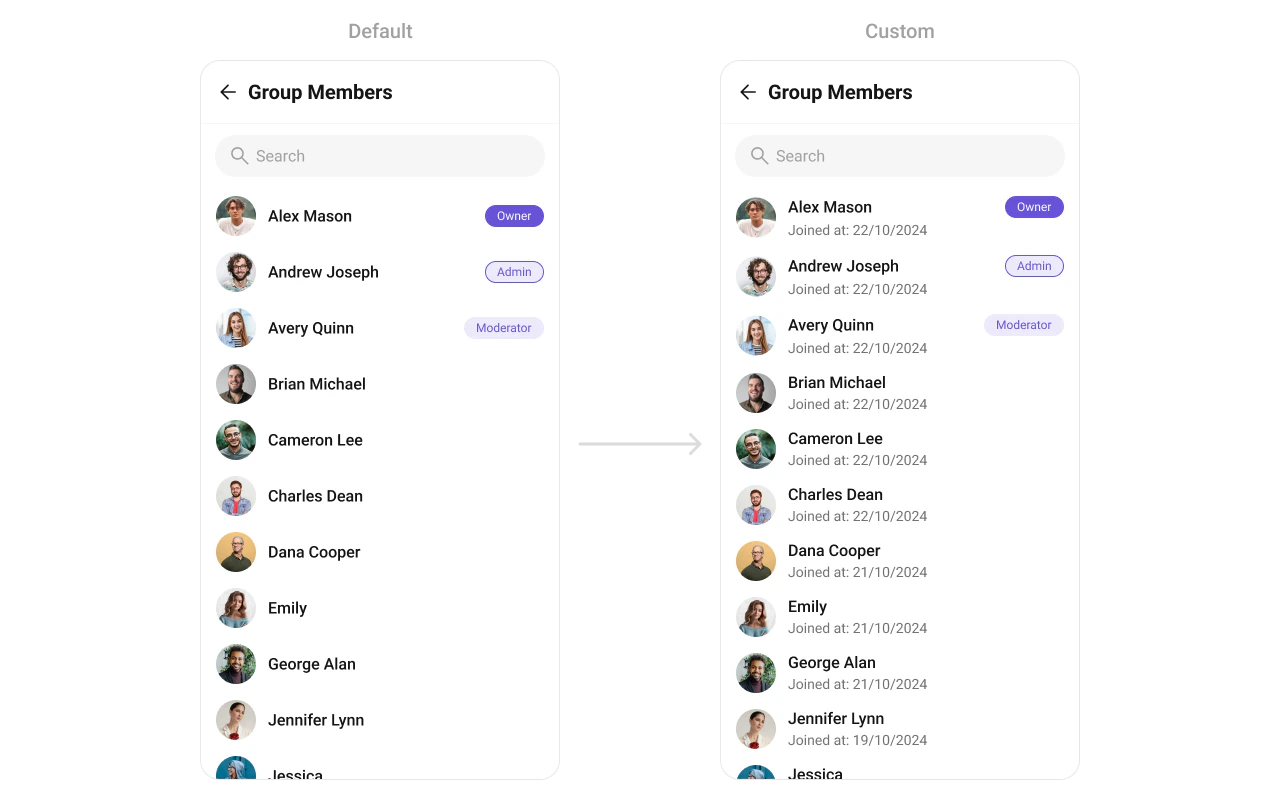
TrailingView
Custom view for the right section (scope badge / actions).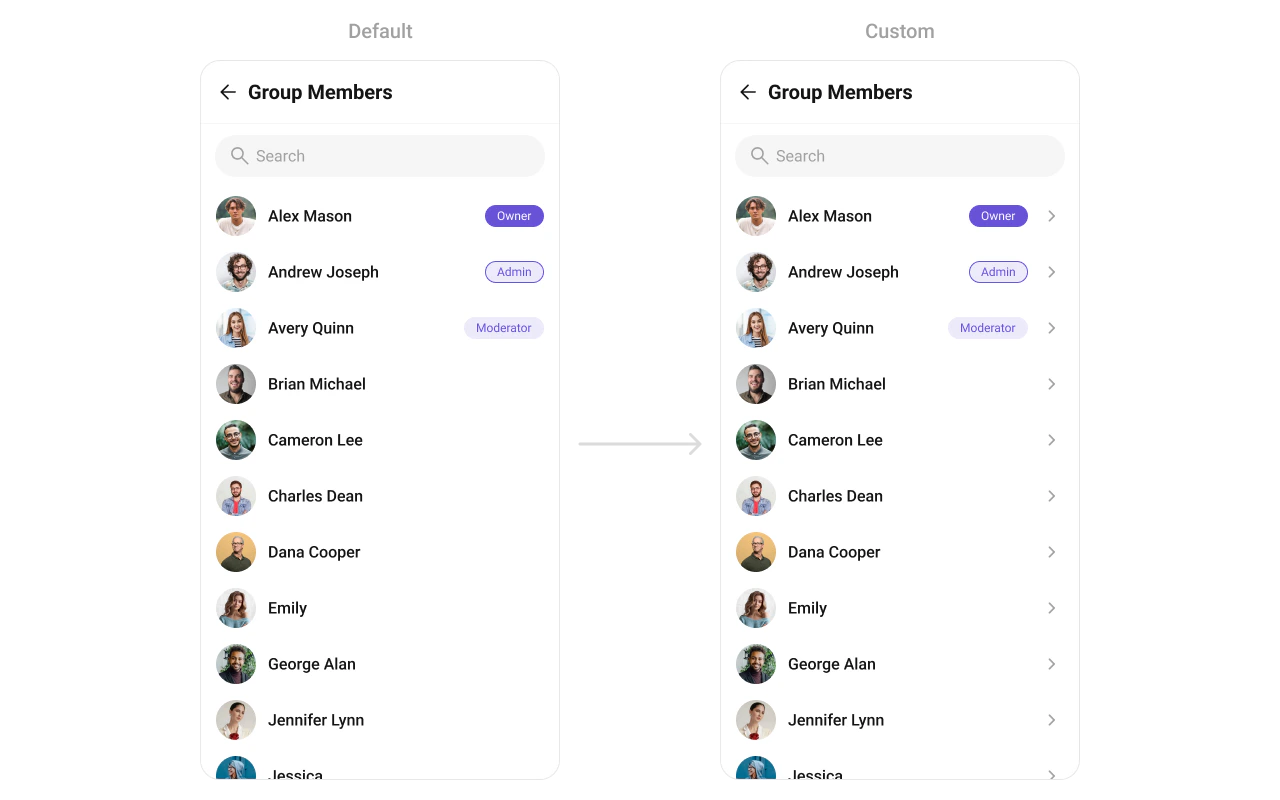
ItemView
Custom view for the entire list item row.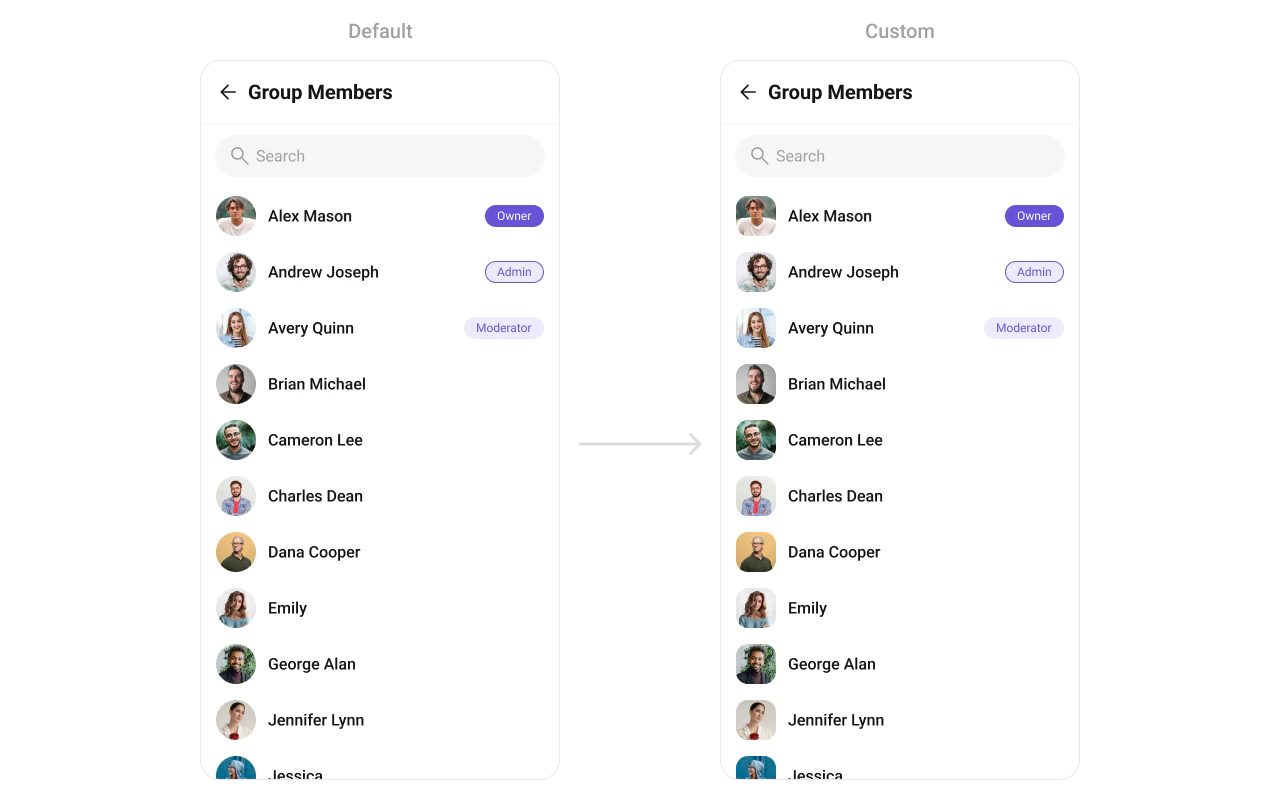
AppBarOptions
Custom view for the header bar options.options
Custom context menu actions for each member item.addOptions
Extends the default context menu actions with additional options.Styling
Using Style you can customize the look and feel of the component in your app. Pass a styling object as a prop to theCometChatGroupMembers component.
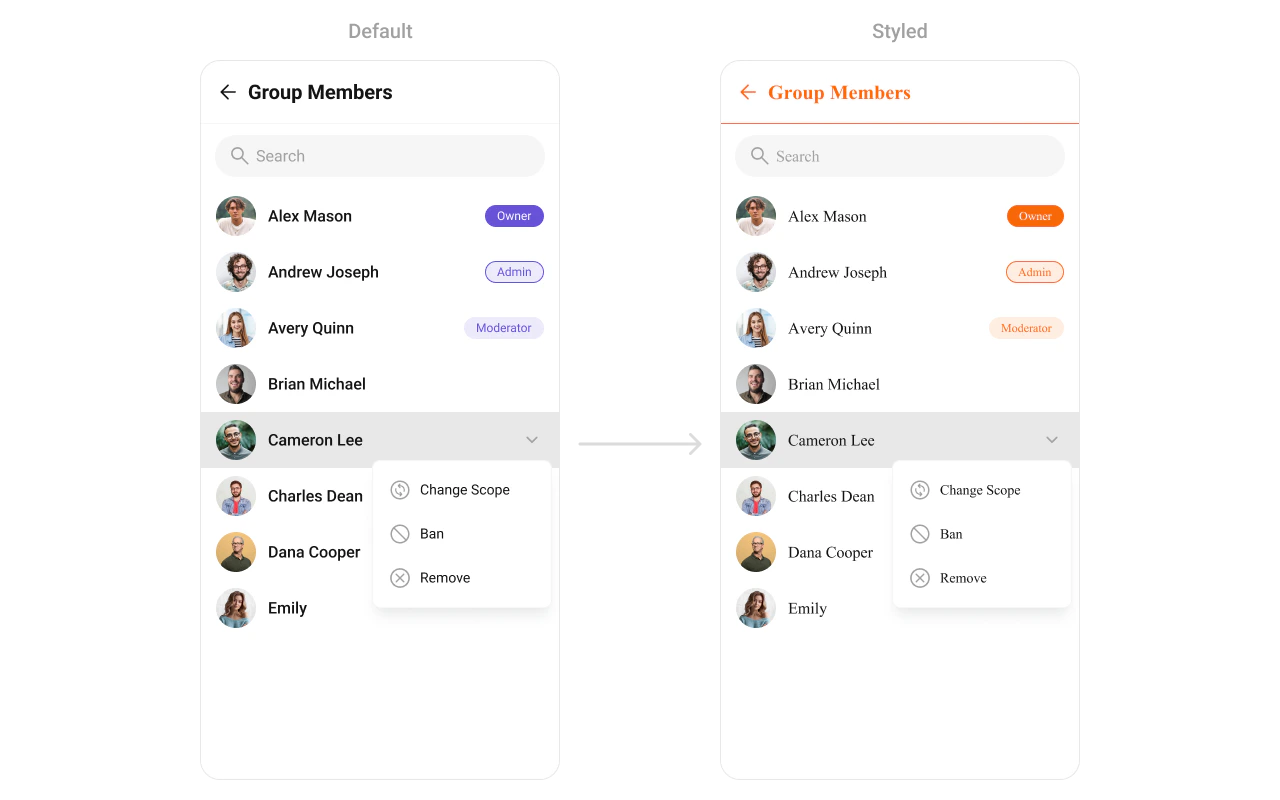
Visibility Props
| Property | Description | Code |
|---|---|---|
hideHeader | Toggle visibility for the toolbar/header | hideHeader?: boolean |
showBackButton | Toggle visibility for back button | showBackButton?: boolean |
hideSearch | Toggle visibility for search box | hideSearch?: boolean |
hideError | Hide error on fetching group members | hideError?: boolean |
hideLoadingState | Toggle visibility for Loading state | hideLoadingState?: boolean |
usersStatusVisibility | Toggle visibility for user status indicators | usersStatusVisibility?: boolean |
hideKickMemberOption | Hide the “Remove” (Kick) option from the default menu | hideKickMemberOption?: boolean |
hideBanMemberOption | Hide the “Ban” option from the default menu | hideBanMemberOption?: boolean |
hideScopeChangeOption | Hide the “Change Scope” option from the default menu | hideScopeChangeOption?: boolean |
excludeOwner | Exclude the group owner from the members list | excludeOwner?: boolean |
Selection Mode
| Property | Description | Code |
|---|---|---|
selectionMode | Determines the selection mode for group members | selectionMode?: SelectionMode |
searchKeyword | Keyword used to fetch initial member list | searchKeyword?: string |
searchPlaceholderText | Placeholder text for search input | searchPlaceholderText?: string |
Next Steps
Groups
Display and manage group conversations
Add Members
Add new members to a group
Banned Members
View and manage banned group members
Component Styling
Customize the appearance of UI Kit components